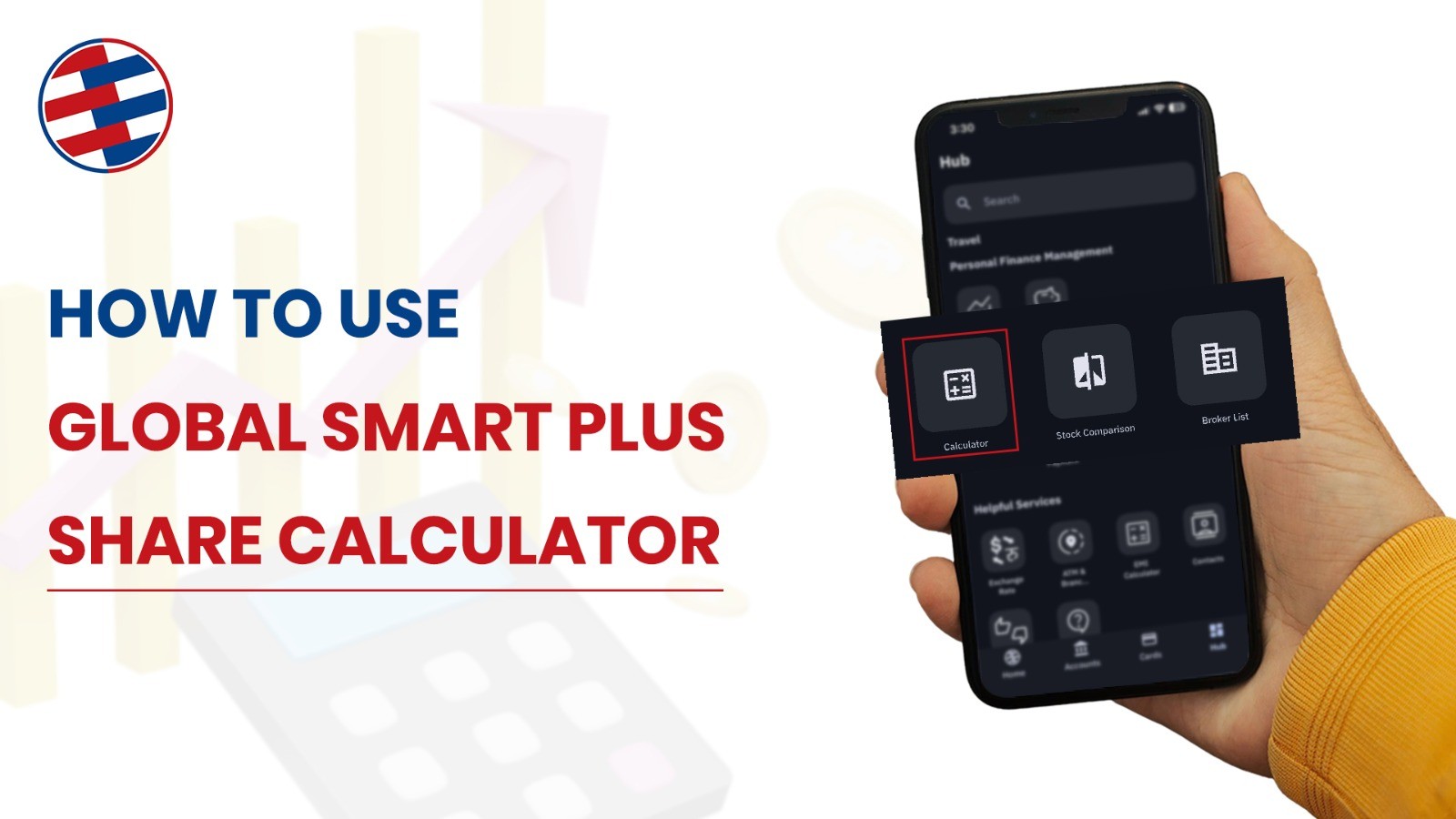
Buying stocks in Nepal just got easier. Global IME Bank launched a new stock calculator inside their Global Smart Plus app. This tool helps you calculate everything before you invest.
No more guessing. No more surprises. Just clear numbers.
Why You Need a Share Calculator
Here’s the truth: most people lose money because they don’t calculate properly.
You see a stock at Rs. 500. You think that’s what you’ll pay. But wait—there are hidden charges. Broker fees. SEBON charges. DP fees. Suddenly your Rs. 500 becomes Rs. 520.
Then you sell. You expect profit. But capital gain tax eats into your returns.
A good stock calculator shows you the real numbers. Before you click that buy button.
What’s Inside Global Smart Plus Calculator?
Global IME Bank packed six calculators into one app. Each one solves a different problem:
- Transaction Calculator – Buy and sell calculations
- Averaging Calculator – Find your average price
- Adjustment Calculator – Bonus and right shares
- Dividend Calculator – Cash and bonus dividends
- Compounding Calculator – Long-term growth
- SIP Calculator – Monthly investment plans
All free. All accurate. All in Nepali rupees.
Let’s break down each one.
1. Transaction Calculator: Know What You’ll Really Pay
This is your most-used tool.
Buying Shares
How to use it:
Open Global Smart Plus → Go to Hub → Tap Share Calculator → Select Transaction → Choose Buying
Enter two things:
- Units (how many shares)
- Purchase Price (price per share)
You’ll instantly see:
- Cost Per Share (real cost including fees)
- DP Fee (Rs. 25 usually)
- SEBON Commission (0.015%)
- Broker Commission (varies by broker)
- Share Amount (base cost)
- Total Payable Amount (final amount from your pocket)
Selling Shares
Same process. But now you see:
- Capital Gain Tax (5% or 7.5%)
- Net profit after tax
- Total Receivable Amount (cash in your account)
2. Averaging Calculator: Find Your True Cost
You bought the same stock three times. Different prices each time. What’s your average cost?
How to use it:
Go to Averaging tab → Enter each purchase:
- First buy: 50 shares at Rs. 400
- Second buy: 100 shares at Rs. 350
- Third buy: 50 shares at Rs. 380
3. Adjustment Calculator: Handle Bonus and Right Shares
Companies give bonus shares. Or they offer the right shares. Your price changes. This calculator does the math.
Bonus Shares
How to use it:
Select Adjustment → Choose Bonus Share → Enter:
- Current market price
- Bonus percentage (like 20%)
You’ll see:
- Adjusted price per share
- New total shares you own
- Tax on bonus shares (5%)
Right Shares
Same process. But you can enter:
- Right share ratio (like 1:4)
- Right share price (discounted price offered)
Calculator shows your new average cost.
4. Dividend Calculator: Count Your Cash
There are usually two types of dividends in Nepal:
- Cash dividend (money)
- Bonus dividend (free shares)
How to use it:
Dividend tab → Enter:
- Units you own
- Bonus % announced
- Cash % announced
- Paid-up value (usually 100)
You’ll see:
- Cash dividend amount
- Tax on cash (5%)
- Bonus shares received
- Tax on bonus shares (5%)
- Total receivable cash after tax
5. Compounding Calculator: See Your Future
Want to know what your investment becomes in 5 years? You can use this calculator feature.
How to use it:
Compounding tab → Choose frequency (Annually or Monthly) → Enter:
- Initial investment amount
- Expected return rate per year
- Additional investment (if regular)
- Number of years
That’s Rs. 1,78,000 in returns. Just from compound growth.
This shows why starting early matters.
6. SIP Calculator: Plan Your Monthly Investing
SIP means Systematic Investment Plan. You invest the same amount every month.
How to use it:
SIP tab → Enter:
- Monthly investment (like Rs. 10,000)
- Expected return rate (8-12% realistic)
- Number of years
Almost double your money. That’s the power of consistent investing.
How to Get Global Smart Plus
Step 1: Download the app
- Android: Google Play Store
- iPhone: Apple App Store
- Search “Global Smart Plus”
Step 2: Register
You need a Global IME Bank account. Do you already have one? Great. Use your customer ID to register.
Step 3: Find the calculator
Open app → Tap Hub (bottom menu) → Scroll down →Tap Live Market → Scroll down → Tap Calculator
That’s it. All six calculators ready to use.
Tips for Using the Calculator
- Before every trade: Run the numbers. See your actual cost and profit.
- Update your average: Every time you buy more shares, recalculate your average price.
- Plan your taxes: Use the calculator to see tax impact before selling.
- Set realistic returns: For SIP and compounding, use 8-12% returns. Don’t dream of 30%.
- Track bonus announcements: When companies announce bonuses, immediately update your portfolio using the adjustment calculator.
- Compare before investing: Run both SIP and lump sum calculations. See which works better for your situation.
Understanding Nepal Stock Market Fees
Here’s what you pay on every transaction:
When buying:
- Broker commission: ~0.40% (varies by broker)
- SEBON fee: 0.015%
- DP charge: Rs. 25 per transaction
When selling:
- Same fees as buying, PLUS
- Capital gain tax: 5% (held over 1 year) or 7.5% (held under 1 year)
The calculator includes all of this. You just see the final number.
Frequently Asked Questions
Is the Global Smart Plus calculator free?
Yes, completely free for Global IME Bank customers.
Do I need the internet to use it?
Yes, the app needs internet connection to work.
Can I use it without a bank account?
No, you need a Global IME Bank account to access the app.