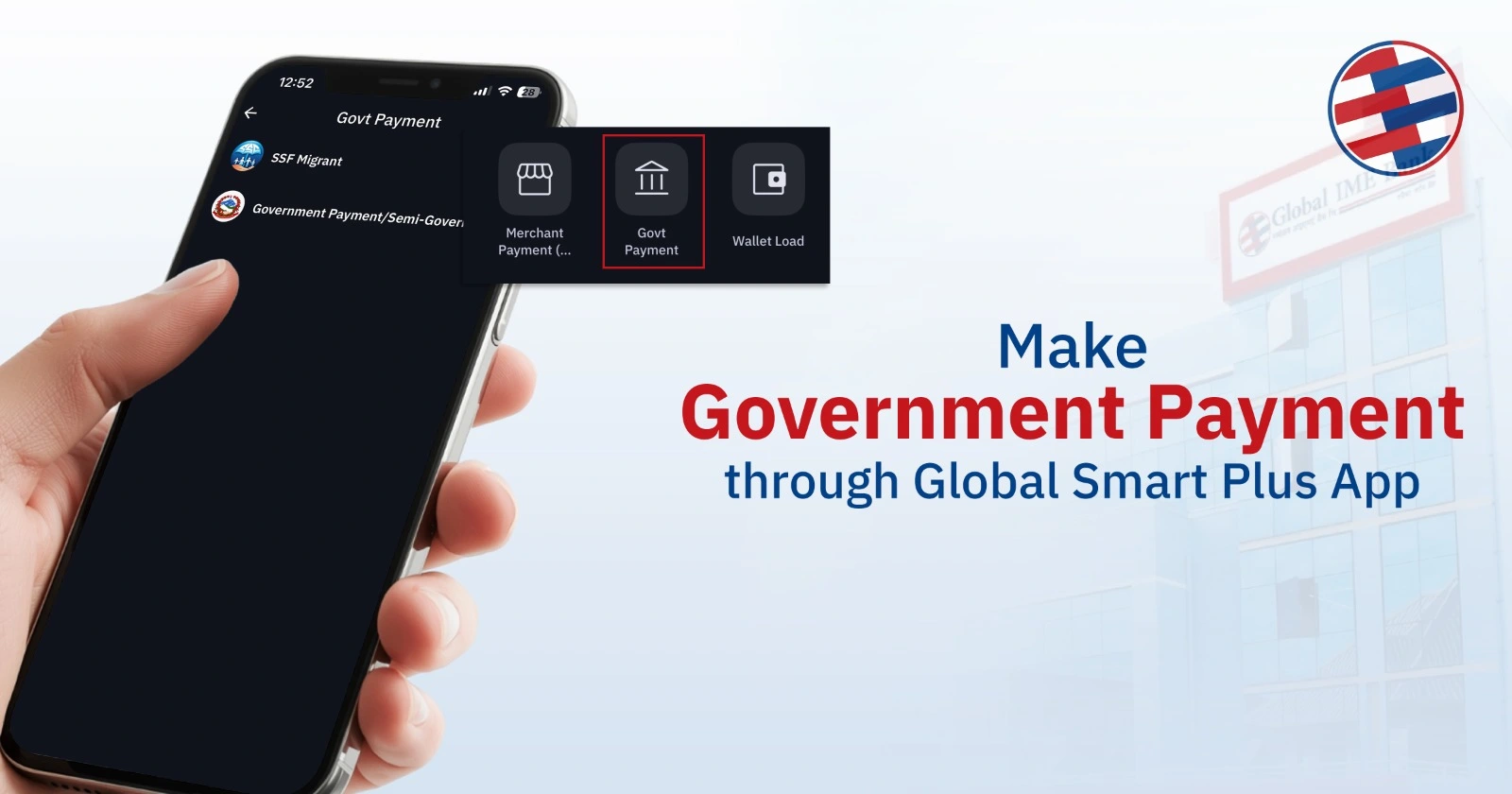
Making government payments is no longer a time-consuming task that requires waiting in long queues and visiting different government offices. Now, you can make various government payments in Nepal through your smartphone using the Global Smart Plus app.
In this detailed article, we will guide you through how to use the Global Smart Plus App to pay your government-related payments. Additionally, we will explore which government payments are available through the app, ensuring you can handle your responsibilities effortlessly from your mobile device.
Government Payments Available Through Global Smart Plus App
The Global Smart Plus App provides the facility to make payments for various government services in Nepal. These services are categorized into the following:
- Government of Nepal
- Semi-Government (Sansthan)
- Local Level Revenue Payments
1. Government of Nepal Payments
The Government of Nepal payments are related to the services provided by the Government of Nepal. These services enable the citizens to pay the fees required to complete the official processes such as immigration, examinations, and fines. The available government payment services are:
- EPS Korea Payment
- Health Insurance Board
- Department of Passport
- Department of Customs
- Department of Immigration
- Digital Chit/Traffic Fine
- NOC (No Objection Certificate) Letter
- Traffic Fine
- PSC/Loksewa
2. Semi-Government (Sansthan) Payments
The Global Smart Plus App provides the facility to make payments for the services provided by the following Semi-government institutions or Sansthan:
CIT Payment
Janak Sikshya
NEA Loan Payment
Civil Aviation Authority of Nepal
Nepal Airlines Corporation
Nepal Tourism Corporation
SSF (Salaried Sector Fund)
NTA (Nepal Telecommunication Authority)
3. Local Level Revenue Payments
The local government authorities provide various local level payment facilities for the essential services required at the local level. Through the Global Smart Plus App, users can make local level revenue payments.
- Local Revenue Payments: Users can pay various taxes or fees associated with local municipalities or wards.
How to Pay Government Payments Using Global Smart Plus App
The process of making government payments through the Global Smart Plus App is quick and simple. First, to get started you must have an account on Global IME Bank and have activated mobile banking.
Step 1: Open Global Smart Plus App
Step 2: Navigate to Hub Section
Step 3: Click on ‘Govt Payment’ on Bills Payment Section
Step 4: Select Government Payment/Semi-Government(Sansthan)/Local Level Revenue Section
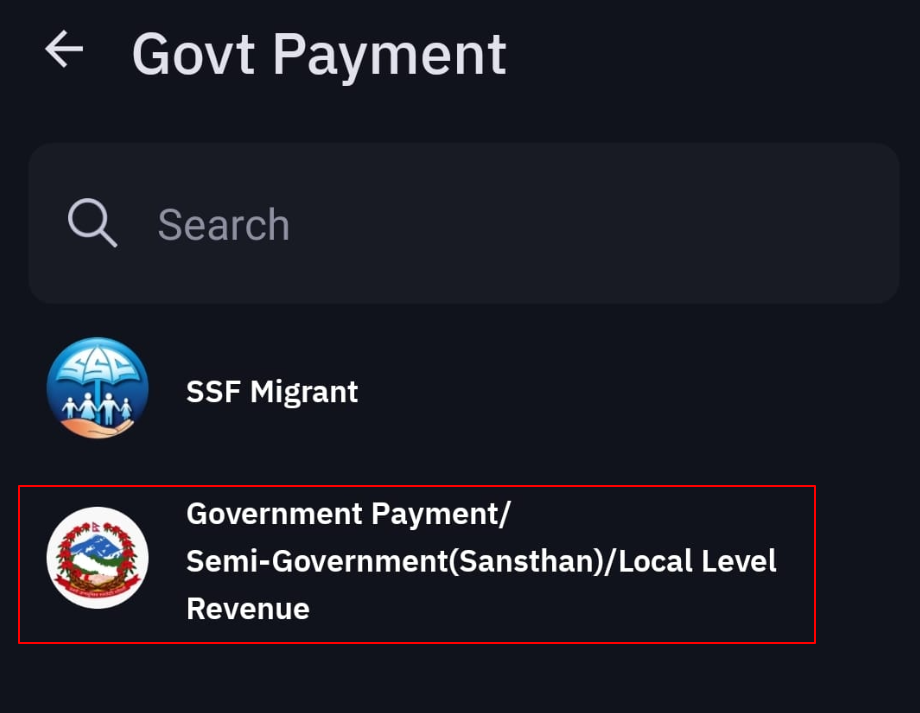
Step 5: Choose the category that you want to pay. Depending on your service, select one of the following:
- Government of Nepal
- Semi-Govt (Sansthan)
- Local Level Revenue Payment
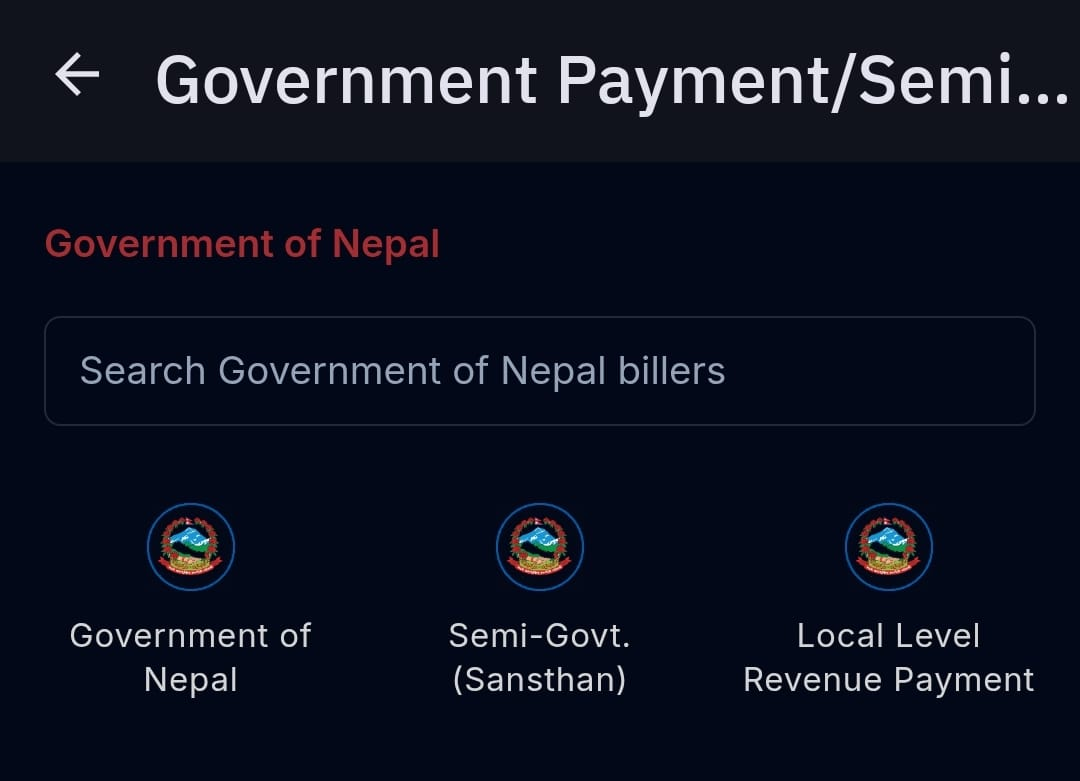
Step 6: Once you select your category, a list of available services will be displayed. Select the Service You Want to Pay
Step 7: Enter Required Details and Complete the Payment
Once payment is complete, you can download your receipt.
Why Use Global Smart Plus App for Government Payments?
The Global Smart Plus app lets you make fast, secure, and convenient government payments anytime, anywhere with ease.
Convenience
You can make government payments through the Global Smart Plus App without having to visit the government office and stand in long lines.
Security
With the Global Smart Plus App, your financial and personal information is safe with the payment gateway that the app offers.
Wide Range of Services
The Global Smart Plus App offers a wide range of services that enable users to pay different types of government fees, such as traffic fines and passport fees, and many more.
Instant Payment
With the Global Smart Plus App, the payment is instant. Therefore, you don’t have to worry about the deadlines that may occur if the payment is not made on time.
Conclusion
Global Smart Plus App is a convenient and secure platform for making government payments in Nepal. With a user-friendly interface and a wide range of services, Global Smart Plus App is a great choice for anyone who wants to save themselves from long queues and make payments from the comfort of their own homes.
Download the Global Smart Plus app today for easy, hassle-free government payments.
FAQs
1. Can I pay Loksewa exam fees through the Global Smart Plus App?
Yes, users can pay their Loksewa fees through Global Smart Plus App.
2. Is it possible to pay traffic fines online using Global Smart Plus?
Yes, You can pay traffic fines or digital chits directly from the app.
3. Do I receive a receipt after making a government payment?
Yes, After completing the payment, users can download the receipt.
4. Is Global Smart Plus mobile banking secure?
Yes, Global Smart Plus uses advanced security systems to protect user data and ensure safe digital payments.