Are you using an NTC SIM card registered in someone else’s name? Nepal Telecom has now made it easier than ever to transfer SIM ownership online from the comfort of your home. This complete guide walks you through the step-by-step process to get your NTC prepaid SIM transferred to your own name.
New Online SIM Transfer Service by Nepal Telecom
Nepal Telecom has launched an online KYC update facility that allows GSM prepaid users to initiate the SIM ownership transfer process from home. While you still need to visit an NTC office once for final verification, submitting your details online significantly reduces waiting time and makes the process much faster.
How to Transfer NTC SIM Ownership Online: Step-by-Step Guide
Step 1: Visit the Nepal Telecom customer portal and click on the “KYC Update Portal” option.
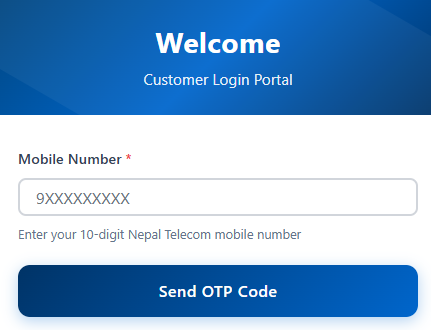
Step 2: Enter Your Mobile Number
Enter the NTC mobile number you want to transfer
Click on “Send OTP Code”
Step 3: Complete Captcha Verification
Type the captcha code shown on your screen
Tap on “Verify & Send OTP”
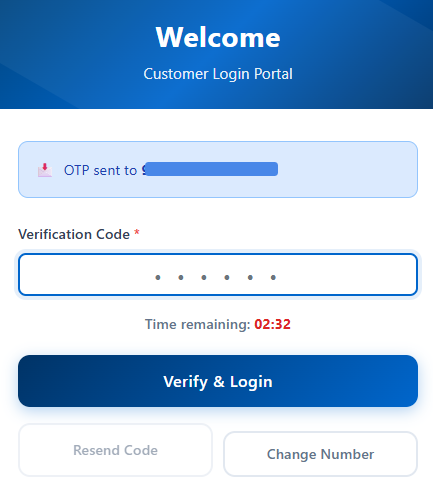
Step 4: Verify with OTP
Enter the OTP (One-Time Password) received on your mobile
Click on “Verify & Login”
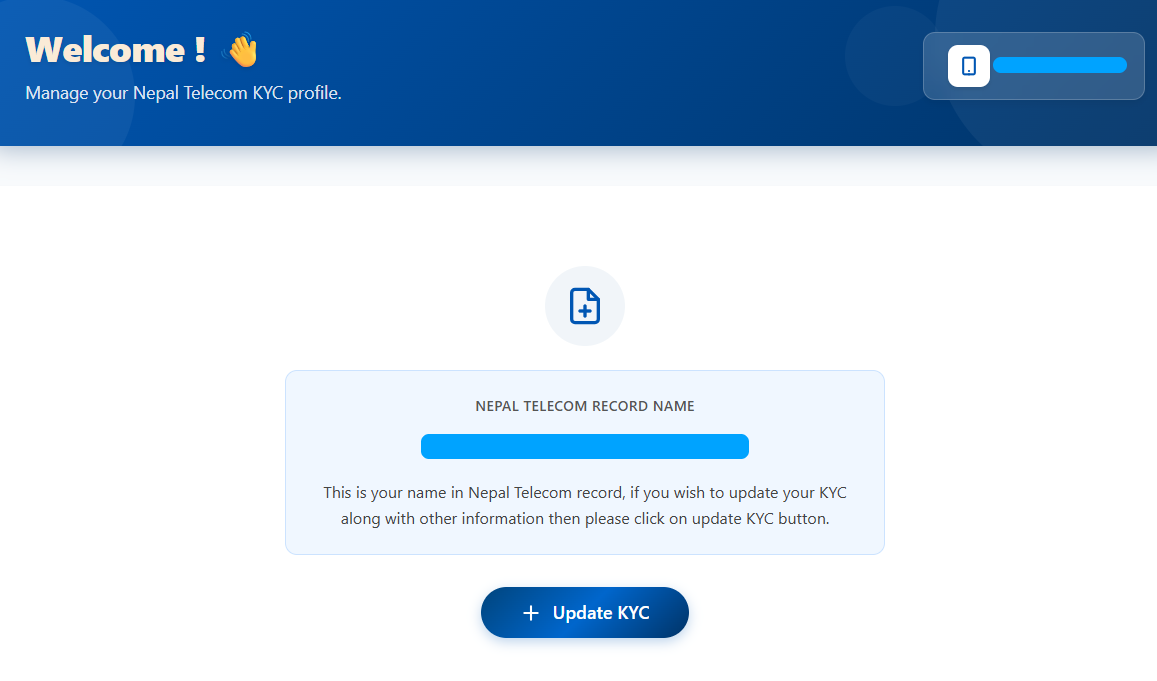
After login you will see the name on which the sim card is registered. The click on Update KYC Button
Step 5: Fill in the form
- Basic Details
- Preferred Counter to Visit
- National ID (NID)
- Family Information
- ID information (Citizenship or Passport)
- Permanent Address
- Temporary Address
- Enter correct outgoing calls made through your mobile number in the last 3 days starting from yesterday. Enter the latest numbers if possible.
- Upload Certificate (Incase of citizenship Both sides combined image is required)
- Extra Certificate
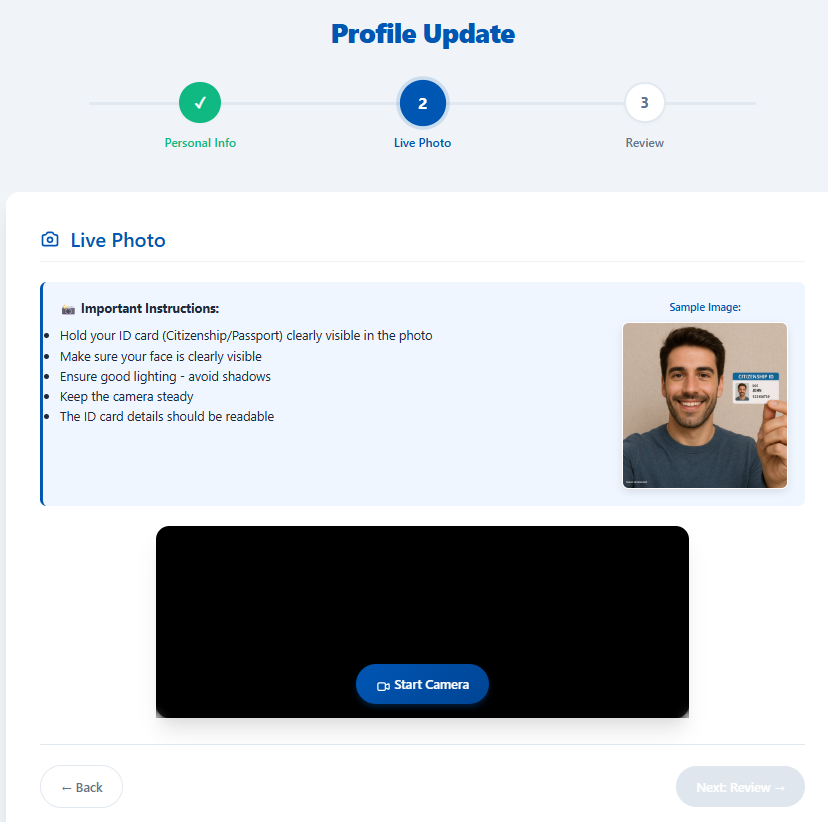
Step 10: Take Live Photo
Using your camera, take a live selfie holding your citizenship certificate or passport. Make sure:
Your face is clearly visible
The document details are readable
The photo is well-lit
Step 11: Review and Submit
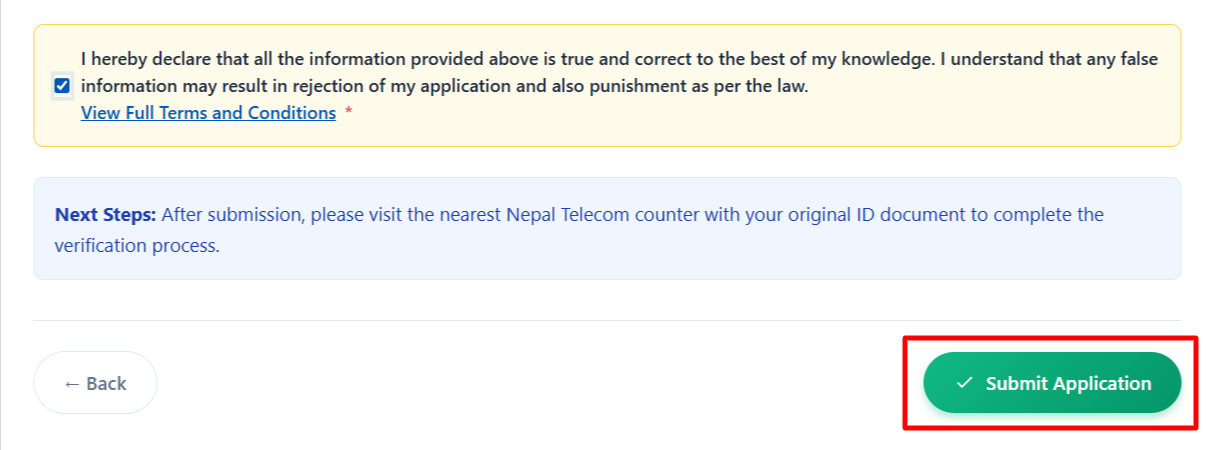
Carefully review all the information you’ve entered. Then click on the checkbox to agree the Terms and Conditions.

If everything is correct, tap on “Submit Application”
You’ll receive a confirmation message
Step 12: Visit the Selected Counter
- Visit the NTC counter you selected earlier for final verification. Bring:
- Original Citizenship Certificate or Passport
- Your mobile phone with the SIM card
- Citizenship ID of the previous owner, if available
Why Transfer SIM Ownership?
Having a SIM card registered in your own name is now mandatory for:
- Opening bank accounts
- Creating digital wallets (eSewa, Khalti, IME Pay, etc.)
- Using the Nagarik App for government services
- Completing financial and legal transactions
- KYC verification for various services
How to Check the owner NTC SIM Card
For NTC: Dial *922# from your mobile
This USSD code will display the registered owner’s name.
Don’t delay—transfer your SIM ownership today and ensure compliance with Nepal’s digital identity requirements!