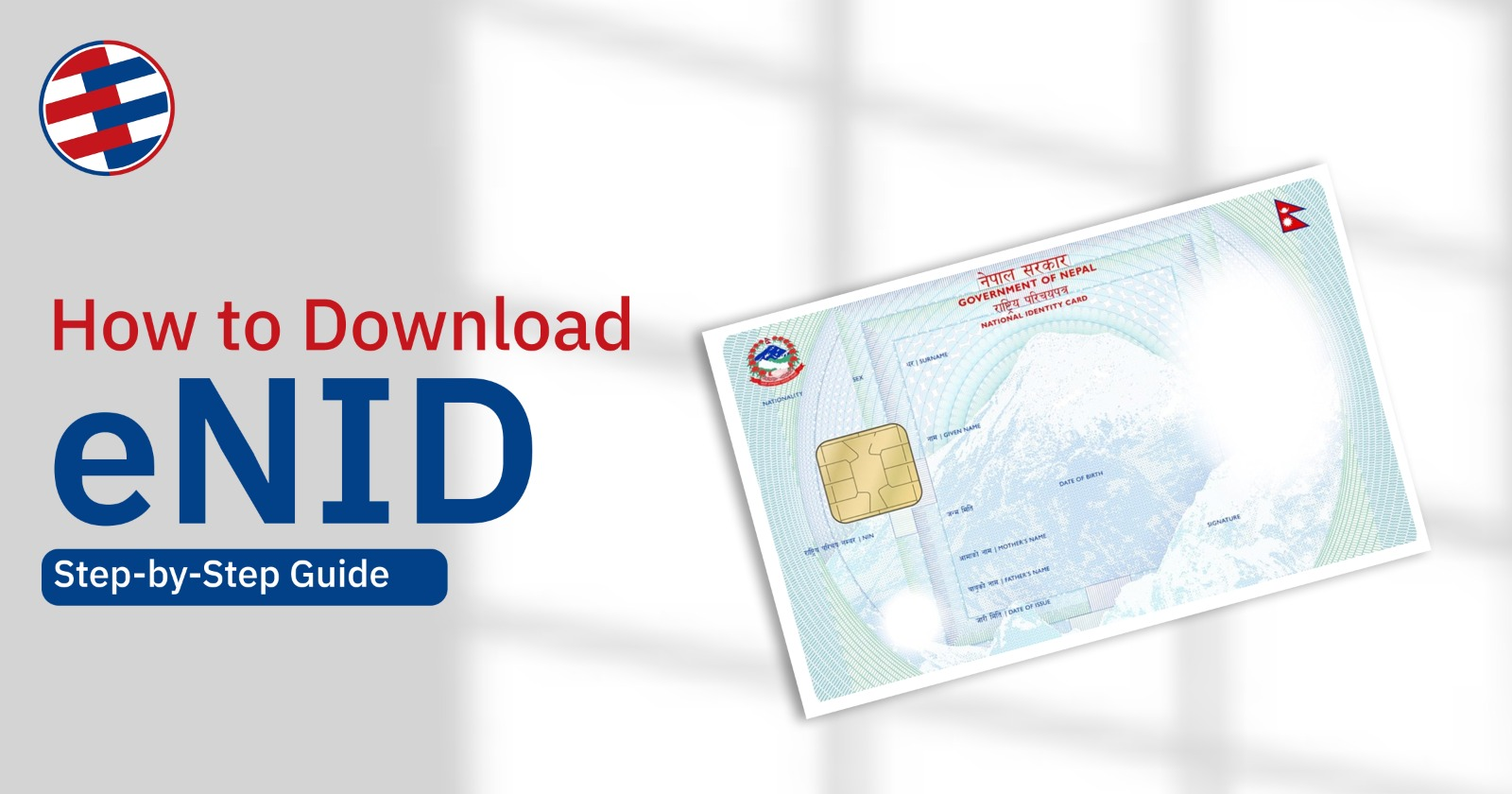
Finding out how to get the eNID (Electronic National Identity Card) in Nepal?
The Government of Nepal has introduced digital services for citizens to download their temporary National Identity Card online. This guide provides steps to obtain the eNID online along with solutions to common problems and an overview of the functions of this digital ID.
What is the process to Download eNID?
Follow these simple steps to download your eNID online:
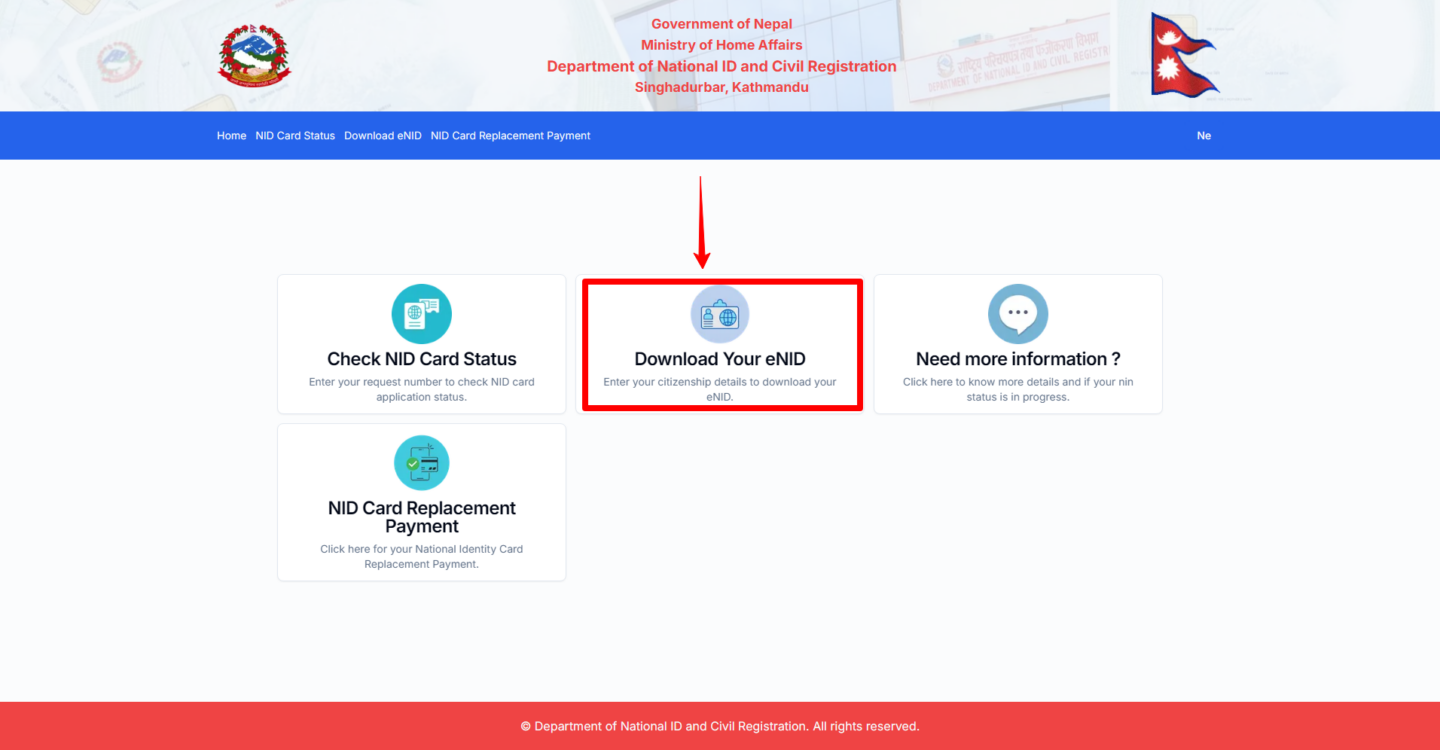
Step 1: Visit the eNID Download Portal
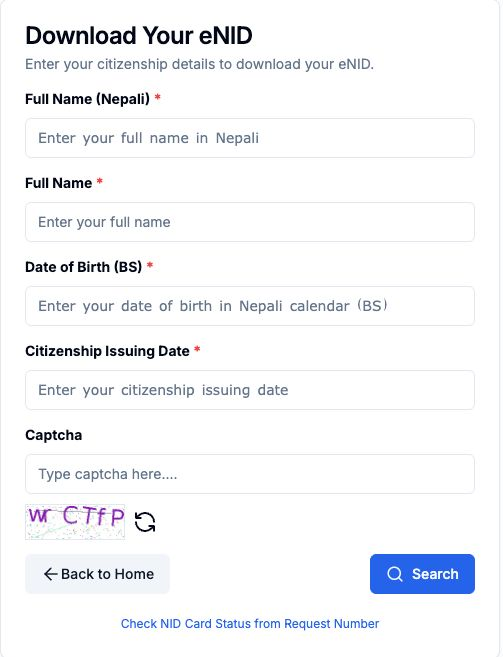
Go to the official eNID download website provided by the National ID and Civil Registration Department. Click on https://citizenportal.donidcr.gov.np/ne and click on download eNID.
Step 2: Enter Your Personal Details
Fill in the required information:
- Full Name in Nepali
- Full Name in English
- Date of Birth
- Citizenship Issuing Date
- Enter The captcha Provided
Make sure the information matches your National ID registration record.
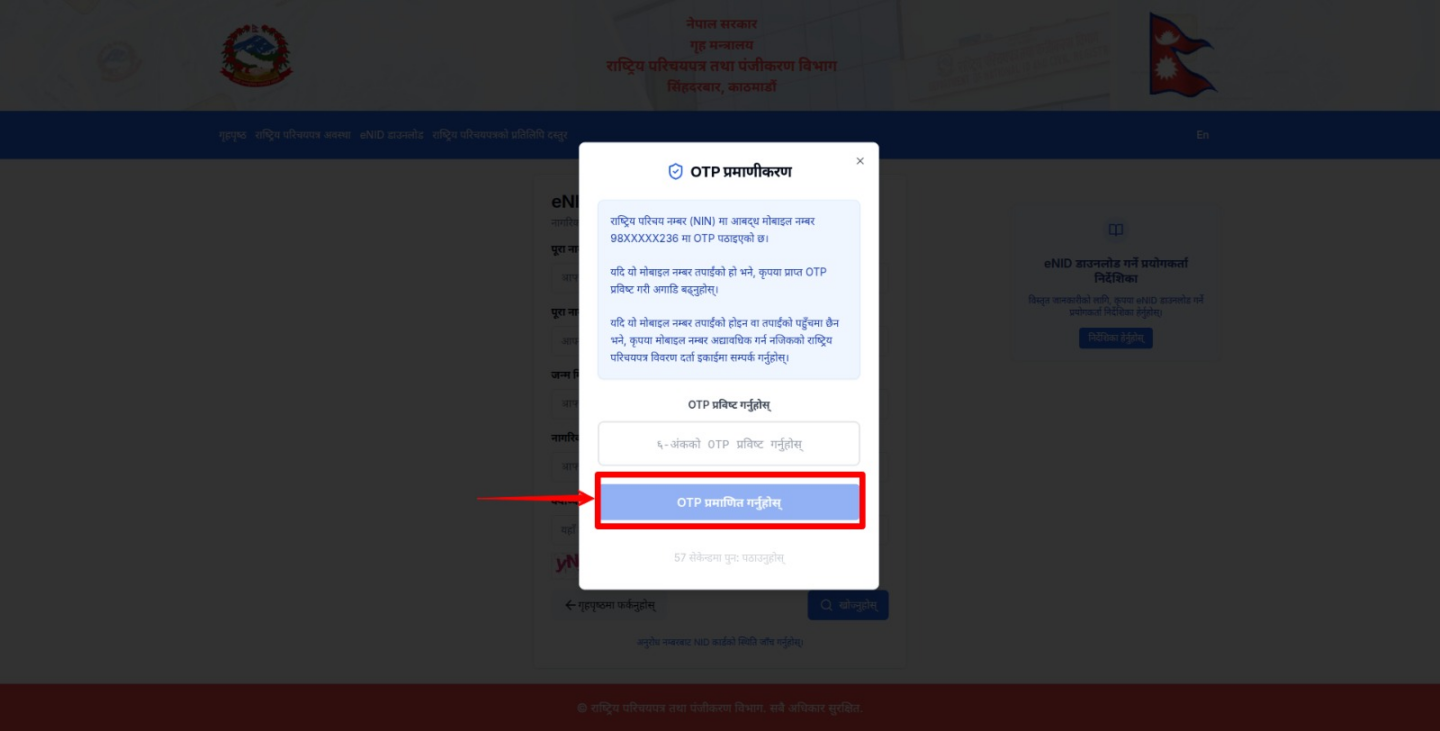
Step 3: Verify Using OTP
An 6 digit OTP (One-Time Password) will be sent to your registered mobile number. Enter the OTP and continue.
Step 4: Generate Your eNID
After successful verification, click Generate eNID.
The system will create your Electronic National Identity Card (eNID).
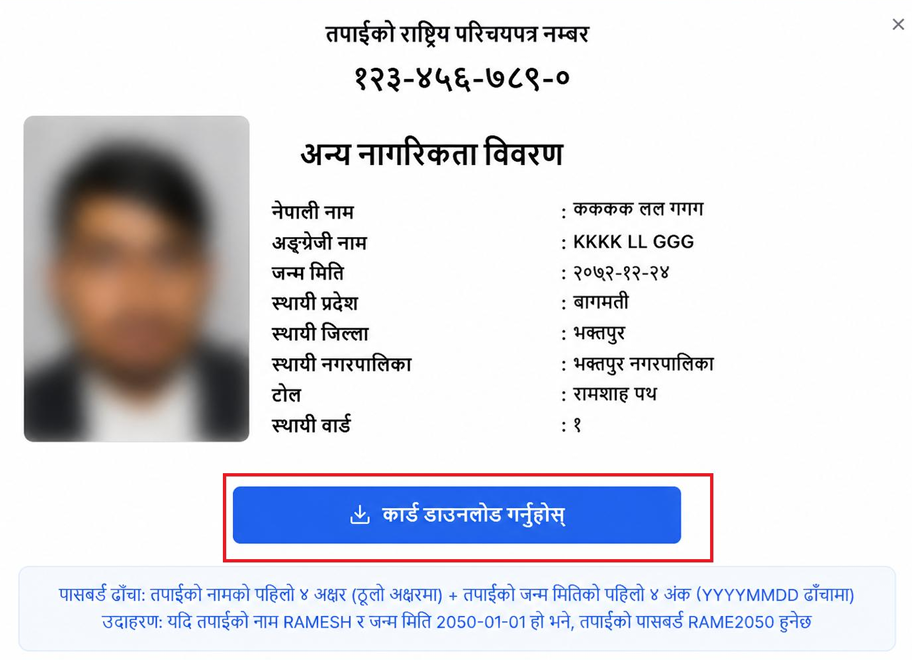
Step 5: Download the eNID PDF
Click Download eNID.
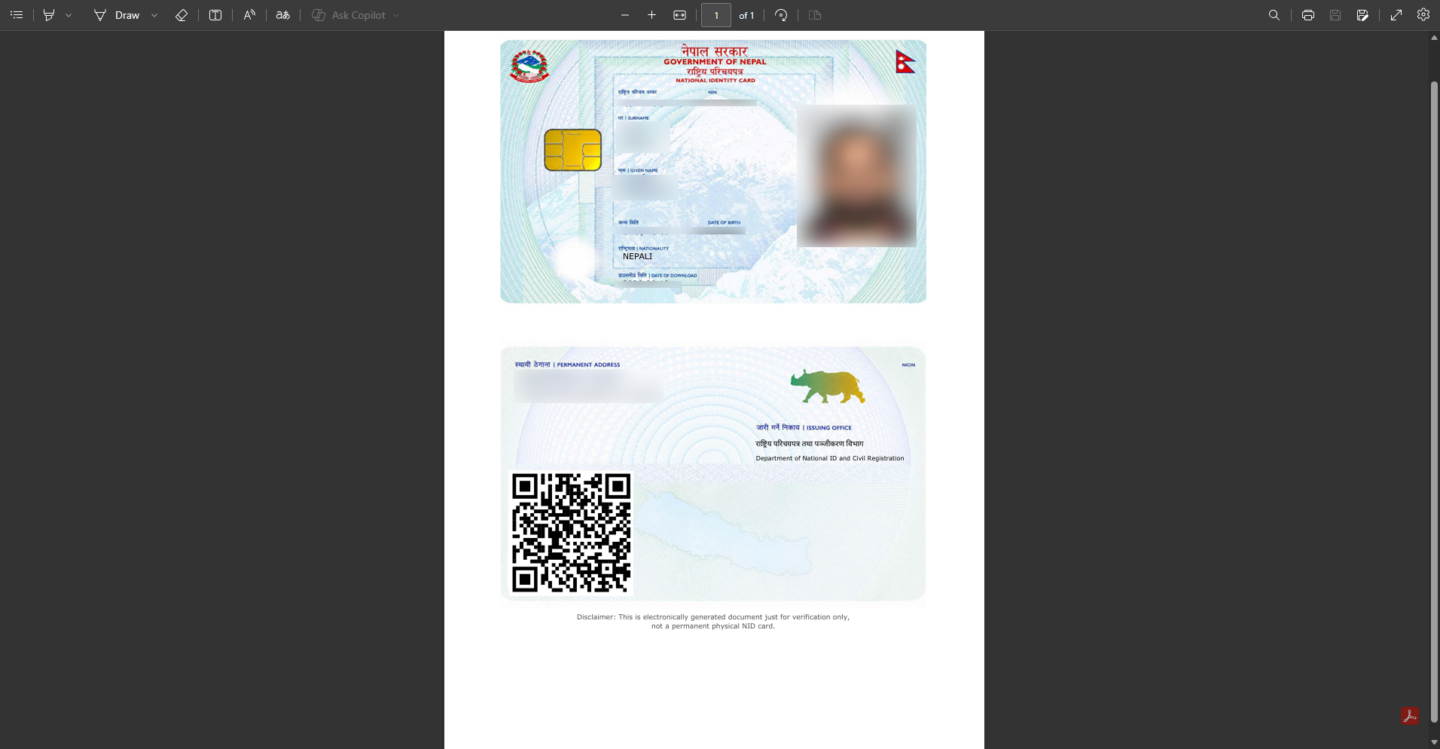
The eNID will be downloaded as a PDF file to your device. The pdf will be password protected.
Remember: Password will be the first four letters of your name (in uppercase) + the first four digits of your date of birth (in YYYYMMDD format).
Example: If your name is AASHUTOSH and your date of birth is 2050-01-01, then your password will be AASH2050.
Step 6: Save or Print the Document
Save the PDF on your mobile phone or computer for future use. You can also print a copy if required for verification purposes.
For making a NID for the first time, the application process is explained step by step on:
How to get a National ID Card in Nepal?
Common Issues While Downloading eNID
OTP Not Received
Some citizens may not receive the OTP because a mobile number was not mandatory during the initial National Identity Card registration. In some cases, no number was recorded, while in others, an incorrect number or a family member’s number was used. Since OTP verification is mandatory, you must have access to the registered mobile number.
For Nepalis Living Abroad
If you are outside of Nepal and the phone number that you registered is still working in Nepal, the OTP can be received by your family or relatives and they can send the OTP to you. The Department is not going to send the eNID PDF to your email for privacy and security reasons.
Incorrect or Missing Mobile Number
You need to go to the National Identity Card Office or the District Administration Office to have the phone number updated to receive eNID before you can download the eNID.
Where Can eNID Be Used?
Passport Application
When applying for the passport, eNID can be uploaded to the registration portal of the Department of Passports.
Opening a Bank Account
As made mandatory by NRB, NID is required for the bank account opening process. Banks need NID data as part of customer verification and KYC processes. For opening any types of account like savings account, current account, fixed deposit account in Global IME Bank, customers must provide the NID details along with any document verifying those details such as eNID.
Property Purchase and Registration
While buying property such as building, land or transfer of properties, eNID is required.
Government Services
Many government services now require National Identity for applications, certificates, and other public services.
SIM Registration and Verification
Telecommunication providers may use National Identity information for SIM registration, ownership updates, and customer verification.
Frequently Asked Questions
1. What is eNID?
eNID stands for Electronic National Identity Card, a digital version of the National Identity Card linked to Nepal’s National Identity system.
2. Can I download eNID before receiving the physical National ID card?
Yes, eligible individuals may be able to access a provisional digital version through the official National ID portal.
3. Is eNID accepted for bank account verification?
Many institutions use National Identity information for verification purposes. Acceptance requirements may vary by organization.
4. What should I do if I do not receive the OTP?
Verify that you are using the registered mobile number, ensure network availability, and try again after a short wait.